

1. Co-browse
See the page live, rendered from the same masked stream as the recording. No screen share, nothing new leaves the device.
See exactly what a user hit, and why, with every answer pointing at the moment it happened. Masked on the device, so it is safe for patient data.
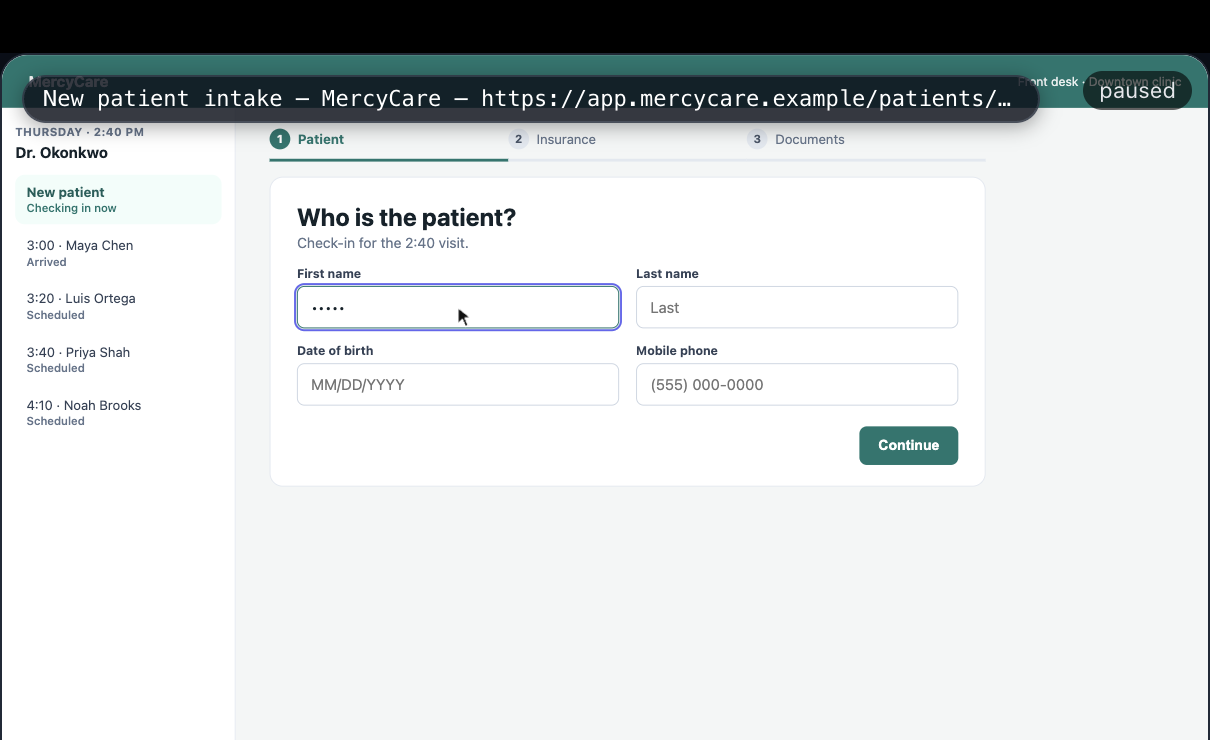
A front desk walks a new patient from the details step through insurance, then a card photo that the server rejects. Text is masked, so names show up as dots. The Signals and the explanation below come from this replay, and every claim jumps to its moment.
Your movements and the changes this page made to itself, kept in this tab, never uploaded. Hit replay to watch it back and see what the recorder would flag about your own visit.
Recording locally… move, scroll, and click around this page.
Everything here stays in this tab. The stage is this page's own DOM, rebuilt from a local snapshot with form values masked and then replayed from the changes the page made to itself — the same reconstruction the player does for a recorded session — and the signals are the recorder's rules running against your own movements.
Competitors sell recordings. Backstory sells answers, and shows the evidence.
Watch the session back as it happened, with the console, network requests, and page state moving in step with the scrubber. Pause on any moment and inspect it.
SignalsRage clicks, dead clicks, frozen screens, failed requests, abandoned forms, and more. Grouped across sessions and sent to Slack, Teams, email, or a webhook.
WhyAsk why a user dropped off and get an answer that points at the exact moment, the failed request, and the line of code. Click any claim and land on it in the replay.
CallsWebRTC drops, lag, frozen video, and a camera held by another app, on the same timeline as what the user clicked. Video and audio are never recorded.
CanvasAnything drawn on a canvas, from a chart to a signature pad, shows up in the replay instead of a blank box. Recorded only while on screen, so it never slows the page down.
Self-hostedThe same product, installed on your infrastructure, with recordings that never leave it. One install, and the same updates as the hosted version.
See the page live, rendered from the same masked stream as the recording. No screen share, nothing new leaves the device.
Audio-only call through a relay that works from hospital and corporate networks. Recording is a separate, explicit consent.
Circle the right button, draw an arrow, point a laser. Drawings fade after ten seconds and cannot click or type.
Take over their screen and fix the problem for them. They watch you do it and can take back control at any time.
Watching needs no extra permission. Drawing on the page and taking control are one request, and the user can stop it. A call is a separate request, and so is recording it. How Live Assist works →
Free for 1,000 sessions a month, no credit card. Or leave a work email and we will reach out about the private beta for healthcare and support teams.
We'll reach out to about the private beta.
We'll email when Backstory opens.